Instagram scheduler: write now, publish at the time you pick
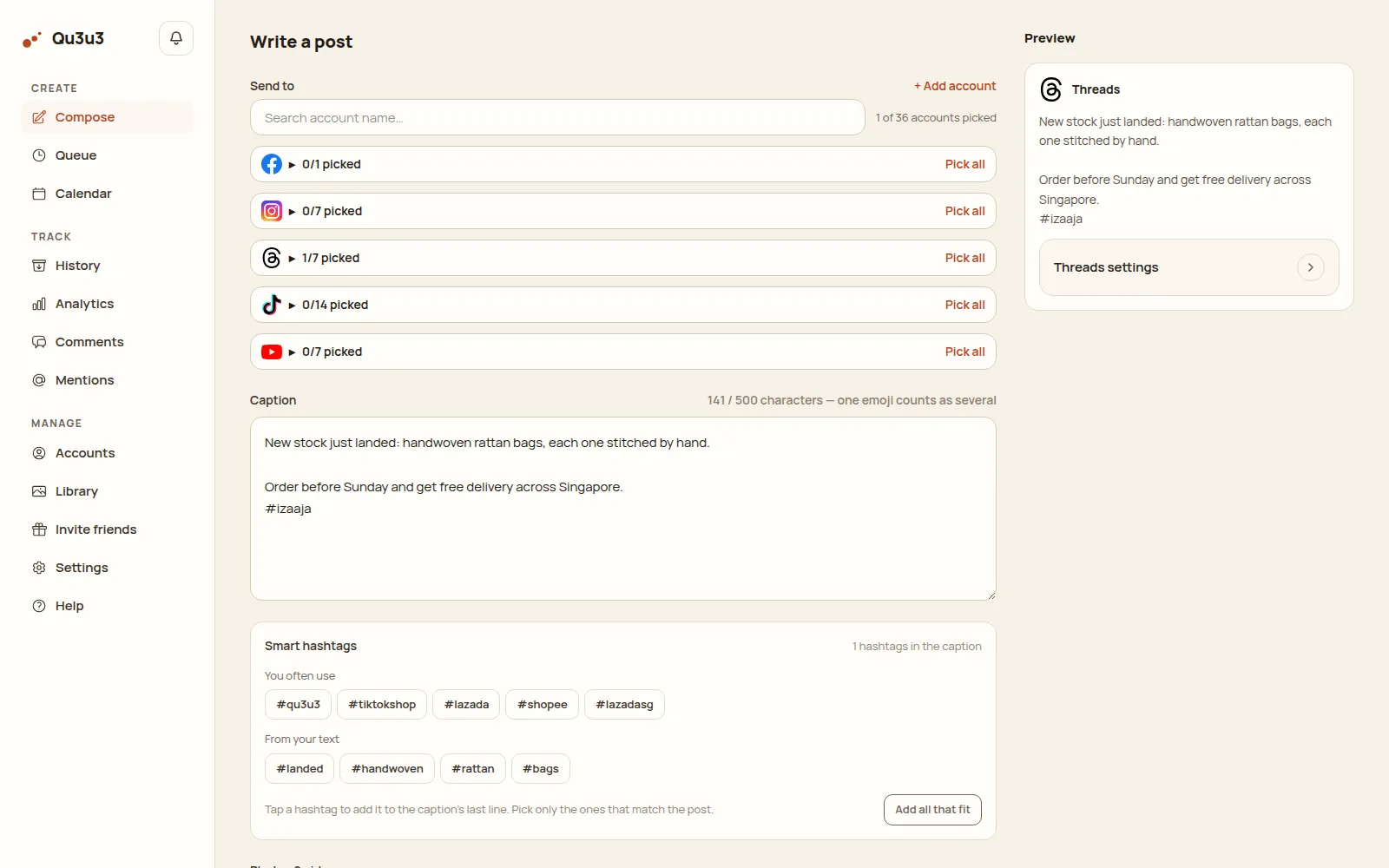
Qu3u3 publishes Feed posts, Carousels, Reels, and Stories to your Instagram Business or Creator account at the time you pick. The preview shows how it will look before it goes out. If Instagram is limiting uploads or the network drops, the post waits its turn and is sent again on its own.
Instagram: Feed · Carousel 2–10 media · Reels with cover selection · Story
How it works
Switch to a Business or Creator account
Instagram only allows scheduled publishing from a Business or Creator account. Switching is free in the Instagram app, and you keep all your followers.
Connect on the official page
Sign in once on the official Instagram page. We never see or store your password, and you can revoke access anytime from the Accounts page.
Pick the type and the time
Feed, Carousel of 2–10 media, Reels with cover selection, or Story. Write the caption, take a hashtag suggestion, then pick the time.
Follow it on the calendar and recap
The calendar marks the empty slots. The publish recap counts posts that were published, failed, waiting or cancelled, with views and likes. These numbers are for subscribed accounts.
What comes with it
Preview before you publish
See exactly how your post will look on each platform before you schedule it — not after it fails.
Smart hashtags
Hashtag suggestions from the ones you use most and from the words in your caption, with each platform's limit counted for you.
Reuse photos and videos
Pick media from an earlier post again, without uploading it from your phone or computer a second time.
A queue that takes care of itself
A platform is limiting uploads or the network drops? Your post isn't lost. It waits its turn and is sent again on its own.
Frequently asked questions
Guides by platform
Facebook scheduler
Schedule Facebook Page photos with a link card, albums of up to 10 photos, Reels, and Page Stories from your phone or computer, free for every account.
Threads scheduler
Schedule Threads text posts of up to 500 characters, text with media, and carousels of 2–20 media, and choose who can reply. Free for every account.
TikTok scheduler
Schedule TikTok videos up to 10 minutes and photo mode posts with 1–35 images, with comment, duet and stitch permissions. Free for every account.
YouTube scheduler
Schedule YouTube Shorts and videos with a custom thumbnail, title, description and playlist. Same upload also goes to Instagram, Facebook and TikTok.
Best time to post
The best time to post differs for every account. Qu3u3 finds the hours your own posts get the most likes, comments and shares per view, so you schedule the next ones there.
Start with one account today
No card needed, no sales call. Connect one account, schedule your first post, and see the results for yourself.
Start free